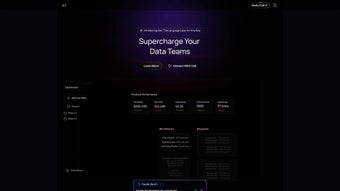

Download OpenSesame – AI Agent Development Platform, Secure, Web‑Based Tool
Overview of OpenSesame
OpenSesame is a cloud‑native, AI‑first platform that consolidates the entire lifecycle of artificial‑intelligence agents into a single, browser‑based workspace. Designed for businesses that want to tap into the power of autonomous agents without hiring a full‑time machine‑learning team, the service lets users design, test, and deploy agents directly from a modern web interface. The platform’s natural‑language builder allows anyone to describe an agent’s behavior in plain English; the engine then translates those instructions into executable code, automatically handling prompt engineering, token budgeting, and API wiring.
One of the most compelling innovations is the built‑in hallucination detector, which continuously monitors responses for factual accuracy and flags any output that drifts from the source material, thereby protecting brand reputation and ensuring regulatory compliance. OpenSesame also introduces Multi‑Agent Connect, a collaborative environment where several agents can exchange data, share context, and solve complex, multi‑step problems together—think of a customer‑service bot that hands off a ticket to a compliance checker before responding to a user. The “Test Your Prompts” sandbox simulates real‑world usage, letting developers iterate on prompts and see immediate feedback before committing to production.
Export options give you the flexibility to pull generated agents into any codebase—Python, JavaScript, Node.js, or even low‑code platforms—so you retain full control over integration and scaling. Compatibility with leading large‑language models (LLMs) such as GPT‑4, Claude, and Gemini ensures you are always working with state‑of‑the‑art technology, while strict data‑privacy compliance (GDPR, CCPA, ISO‑27001) keeps sensitive information safe. In short, OpenSesame offers a secure, scalable, and user‑friendly way to bring AI agents from concept to deployment, making advanced AI accessible to teams that may not have deep machine‑learning expertise.
Key Features, Benefits & Real‑World Value
- Natural‑Language Agent Builder: Describe tasks in plain English; the platform auto‑generates the underlying logic.
- Hallucination Detection Engine: Real‑time monitoring flags implausible outputs, reducing misinformation risk.
- Multi‑Agent Connect: Orchestrate several agents to collaborate, share context, and achieve higher‑level goals.
- Test Your Prompts Sandbox: Simulate production scenarios, evaluate prompt performance, and fine‑tune before release.
- One‑Click Export: Download agents as code snippets for Python, JavaScript, or REST APIs, enabling seamless integration.
- Model‑Agnostic Compatibility: Works with GPT‑4, Claude, Gemini, and future LLM releases through a plug‑and‑play API.
- Data Privacy & Compliance: Built‑in encryption, role‑based access, and compliance with GDPR, CCPA, ISO‑27001.
- Version Control & Collaboration: Track changes, revert to previous versions, and collaborate in real time.
- Analytics Dashboard: Monitor usage metrics, success rates, and cost breakdowns to optimize performance.
- Scalable Cloud Infrastructure: Automatic scaling handles spikes in demand without manual intervention.
Why These Features Matter for Business Users
The combination of a natural‑language builder and a robust hallucination detector removes two of the biggest barriers to AI adoption: technical complexity and trust. Business analysts can prototype agents without writing a single line of code, while the detection engine safeguards brand reputation by catching stray answers before they reach end users. Multi‑Agent Connect unlocks new use‑cases such as coordinated customer support, where one agent routes inquiries, another drafts responses, and a third verifies compliance.
The sandbox environment provides a low‑risk testing ground, ensuring that prompts are optimized for real‑world performance, which directly translates into higher conversion rates and lower support costs. Exportability means that teams can embed agents into existing products—whether a SaaS dashboard, a mobile app, or an internal workflow—without being locked into a proprietary runtime. Finally, compliance features give legal and security teams confidence that data handling meets industry standards, a critical factor for regulated sectors like finance and healthcare.
Together, these capabilities turn AI from a research curiosity into a practical, revenue‑generating tool that scales with your organization’s needs.
Pros & Cons – Quick Reference
Pros
- Intuitive natural‑language interface eliminates extensive coding.
- Built‑in hallucination detection enhances trust and compliance.
- Multi‑Agent Connect unlocks complex, collaborative AI workflows.
- One‑click export provides flexibility for any tech stack.
- Model‑agnostic design ensures future‑proof compatibility.
- Robust security and GDPR/CCPA compliance for regulated industries.
- Scalable cloud infrastructure handles high‑volume usage automatically.
Cons
- Web‑only UI may feel limiting for developers who prefer IDE‑based environments.
- Advanced customization (e.g., custom tokenizers) requires enterprise licensing.
- Pricing tiers are usage‑based, which can become costly for very large deployments.
- On‑premise Docker option demands technical expertise for setup and maintenance.
Installation, Usage & Compatibility
Getting Started – No Traditional Download Required
Because OpenSesame is entirely web‑based, the “installation” process consists of creating an account on the official portal (https://openSesame.ai). After confirming your email, you can log in from any modern browser—Chrome, Edge, Firefox, or Safari—on Windows, macOS, Linux, or even mobile devices. The platform automatically provisions a secure sandbox environment, so there’s no need for local servers, virtual machines, or Docker containers. For organizations that prefer an on‑premise deployment, OpenSesame offers an enterprise‑grade Docker image that can be run behind a firewall; this option is documented in the “Enterprise Install Guide” and requires Docker Engine 20.10+ and at least 8 GB of RAM.
Step‑by‑Step Workflow
1. Create a New Agent: Click “New Agent,” describe the task in plain language (e.g., “assist customers with refund requests”), and select a base model.
2. Define Behaviors: Use the drag‑and‑drop block editor to add conditionals, loops, and external API calls.
3.
Validate with Test Your Prompts: Input realistic user queries, view responses, and watch the hallucination detector highlight risky outputs.
4. Collaborate: Invite teammates, assign roles (owner, editor, reviewer), and use version control to track changes.
5. Export or Deploy: Choose “Export as Python” or “Deploy to Cloud,” which automatically creates an HTTPS endpoint you can call from any application.
Operating System & Device Support
OpenSesame runs in the cloud, making it OS‑agnostic for end users. The web UI is fully responsive, allowing seamless interaction from desktop monitors, tablets, or smartphones. For on‑premise customers, the Docker image supports Linux distributions (Ubuntu 20.04+, CentOS 8+), Windows Server 2019 (via Windows Subsystem for Linux), and macOS (Apple Silicon & Intel) as long as Docker is installed.
Maintenance, Updates & Security
The SaaS version receives continuous updates—new model integrations, security patches, and UI enhancements—without any action required from the user. Enterprise deployments can schedule updates via a simple CLI command, ensuring that critical patches are applied within minutes. All updates are communicated through the platform’s changelog and email notifications, keeping teams informed about new capabilities or deprecations. End‑to‑end TLS encryption protects data in transit, while at‑rest encryption and role‑based access control secure stored information. Regular third‑party audits verify compliance with GDPR, CCPA, and ISO‑27001.
FAQ, Review & Call to Action
Frequently Asked Questions
Can I use OpenSesame with my existing AI models?
Yes. OpenSesame is model‑agnostic and includes connectors for major LLM providers such as OpenAI, Anthropic, and Google Gemini. You can also add custom endpoints via the API integration panel.
Is there a free tier or trial period?
OpenSesame offers a 14‑day free trial with access to all core features and up to 5,000 token calls per day. After the trial, you can switch to a pay‑as‑you‑go plan or an enterprise subscription.
How does the hallucination detector work?
The detector runs a secondary verification model that compares the agent’s response against known facts and the original prompt context. If confidence drops below a configurable threshold, the response is flagged and optionally replaced with a safe fallback.
Can multiple team members collaborate on the same agent?
Absolutely. OpenSesame includes role‑based access control, real‑time editing, and version history, allowing developers, product managers, and compliance officers to work together securely.
What security certifications does OpenSesame hold?
OpenSesame is ISO‑27001 certified, complies with GDPR and CCPA, and uses end‑to‑end TLS encryption for all data in transit and at rest.
Structured Review Object
Pros: intuitive builder, hallucination detection, multi‑agent collaboration, export flexibility, strong compliance.
Cons: web‑centric UI, advanced customizations locked behind enterprise tier, usage‑based pricing may scale quickly.
Conclusion & Call to Action
OpenSesame bridges the gap between AI research and practical business deployment by offering a secure, low‑code environment that empowers teams to create, test, and launch intelligent agents at speed. Its natural‑language construction, built‑in safety nets, and collaborative features make it a compelling choice for organizations looking to embed AI into customer support, workflow automation, or data‑driven decision making. While power users may miss a full IDE experience, the platform’s export capabilities ensure that you can always transition to a more custom environment when needed. If you’re ready to accelerate AI adoption without sacrificing security or compliance, the best next step is to sign up for the free trial and explore how OpenSesame can turn your ideas into operational agents within minutes.
Start your free trial of OpenSesame today and experience a secure, scalable, and user‑friendly way to build AI agents that actually work for your business.



.png)



